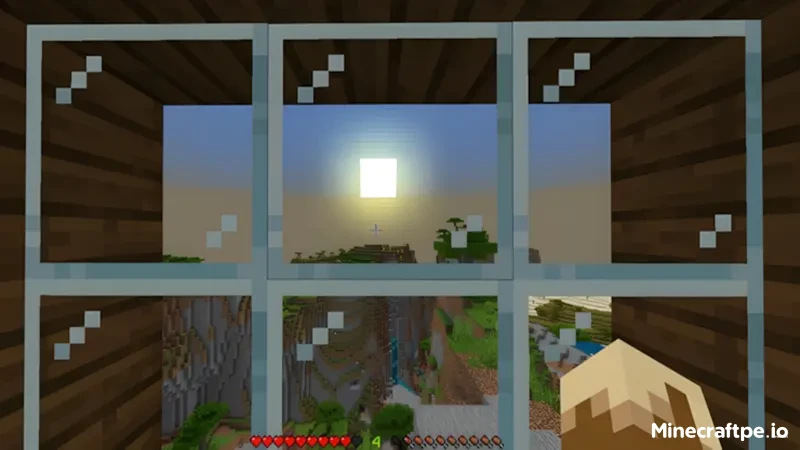
Vanilla Minecraft doesn't offer reflective ray-traced mirrors by default due to rendering performance constraints. However, with creative pattern layering using Banners, dyes, and a Loom, you can craft a hyper-realistic wall mirror complete with glare reflections!
1. Required Ingredients for Crafting a Mirror Banner
To design an elegant silver-framed wall mirror, collect the following materials:
1 Loom: Crafted from 2 wooden planks and 2 string.
1 Light Blue Banner: Used as the reflective glass base.
1 White Dye: Creates the glass glare reflection highlight.
1 Blue Dye: Adds natural depth and gradient contrast.
1 Light Gray Dye: Creates the glass shine sheen.
1 Black or Dark Gray Dye: Serves as the outer metallic frame.
Realistic reflective bathroom mirror design
2. Step-by-Step Loom Pattern Layering
Step 1: Place the Light Blue Banner and White Dye into the Loom. Select the diagonal stripe pattern (Bend) to create the glare reflection.
Step 2: Insert the patterned banner with Blue Dye. Apply the bottom gradient pattern to give it water-like depth.
Step 3: Use Light Gray Dye and select the top gradient to soften the lighting reflection.
Step 4: Finish with Black or Gray Dye and choose the Bordure (outer rectangle frame) pattern to establish the polished border.
3. Styling Your Modern Bathroom Interior
Mount your custom mirror banner against smooth quartz or concrete walls above a cauldron sink with a tripwire hook tap for a luxury 5-star hotel bathroom aesthetic!
Trong thế giới khối vuông Minecraft vanilla, mặc định không có khối gương phản chiếu thật do hạn chế hiệu năng đồ họa. Tuy nhiên, bằng cách kết hợp khéo léo Biểu Ngữ (Banner), thuốc nhuộm và khung máy dệt (Loom), bạn có thể tạo ra chiếc gương phòng tắm có hiệu ứng ánh sáng phản chiếu cực kỳ sống động!
1. Nguyên Liệu Cần Có Để Tạo Chiếc Gương
Để tạo biểu ngữ hình chiếc gương hiện đại viền bạc sáng bóng, hãy chuẩn bị:
1 Bàn Dệt (Loom): Chế tạo từ 2 ván gỗ và 2 sợi chỉ.
1 Biểu Ngữ Màu Xanh Nhạt (Light Blue Banner).
1 Thuốc Nhuộm Màu Trắng (White Dye).
1 Thuốc Nhuộm Xanh Nước Biển (Blue Dye).
1 Thuốc Nhuộm Màu Xám Nhạt (Light Gray Dye).
1 Thuốc Nhuộm Màu Xám Đậm hoặc Đen (Gray / Black Dye) để làm khung viền.
Gương soi hiệu ứng ánh sáng phản chiếu cực đẹp
2. Các Bước Nhuộm Họa Tiết Gương Bằng Khung Dệt (Loom)
Bước 1: Đặt Biểu Ngữ Xanh Nhạt và Thuốc Nhuộm Trắng vào Loom, chọn họa tiết vệt sọc chéo từ góc trên (Bend / Diagonal line).
Bước 2: Đặt tiếp biểu ngữ vừa tạo vào cùng Thuốc Nhuộm Xanh Nước Biển, chọn hiệu ứng chuyển sắc từ dưới lên (Gradient).
Bước 3: Dùng Thuốc Nhuộm Xám Nhạt phủ thêm một lớp chuyển sắc từ trên xuống để tạo chiều sâu phản xạ.
Bước 4: Dùng Thuốc Nhuộm Đen / Xám và chọn họa tiết viền khung chữ nhật (Bordure) xung quanh viền biểu ngữ.
3. Bố Trí Gương Trang Trí Phòng Tắm Hiện Đại
Đặt chiếc biểu ngữ gương vừa tạo phía trên bồn rửa mặt (Vạc nước - Cauldron có gắn cần gạt nước tripwire hook), bạn sẽ có ngay một góc phòng tắm sang trọng chuẩn phong cách khách sạn 5 sao!